The Preview app in OS X is a powerful tool that lets you perform basic modifications to a PDF document such as rearranging or deleting pages and changing metadata. One feature that may be less well known is the ability to extract one or more pages from an existing PDF document. Read on to learn two methods to do it.
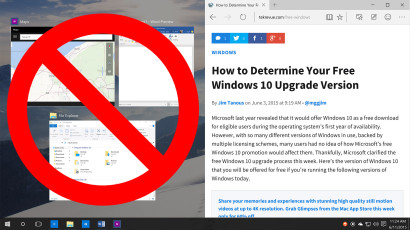
How to Disable Snap Assist in Windows 10
Snap Assist in Windows 10 enhances the traditional Snap feature by recommending companion apps when a user snaps one app to a side or corner of their screen. This can be helpful in many cases, but power users may wish to handle this process themselves without Microsoft’s suggestions. Here’s how you can disable Snap Assist in Windows 10.

How to Change the Default Save Location in Office 2013
OneDrive is the default save location in Office 2013, which is great if you regularly use the service. But for those who prefer to save files locally, here’s how to change the default save location in Word, Excel, and PowerPoint.
How to Hide Excel Errors with the IF and ISERROR Functions
One of the benefits of Microsoft Excel is that you can set up formulas ahead of time which will automatically update as you enter new data. Some formulas, unfortunately, are mathematically impossible without the requisite data, resulting in errors in your table such as #DIV/0!, #VALUE!, #REF!, and #NAME?. Here’s how to hide those errors with some help from the IF and ISERROR functions.
Advertisement
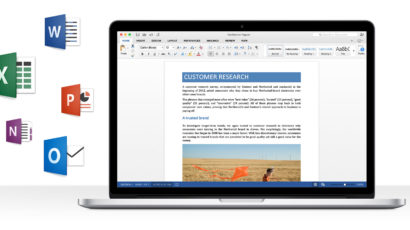
Office for Mac 2016 Preview Now Available
Microsoft has just released the first preview build of Office for Mac 2016, a major update for the out-of-date software that brings modern productivity features to OS X for the first time in five years. All OS X users can download the preview now and use it for free until the final launch later this year.

How to Disable the iOS Mail App Unread Badge Notification
The iOS Mail app uses a badge notification to display the current number of unread emails. While this is helpful for email addicts, many users find the constant badge annoying and stressful. We show you how to turn off the iOS Mail badge notification entirely or on a per-account basis.

How to Export Excel Charts as Image Files
Microsoft Excel is a powerful spreadsheet application, but it also allows for the creation of a wide variety of impressive charts and graphs. While sharing an entire Excel file is often preferable, sometimes you may wish to only share or export the graph or chart. Here are several ways to export an Excel chart as an image.

Microsoft Adds AirPrint Printer Support to Office for iPad Apps
Just over a month after launching Office for iPad, Microsoft today provided the first major updates to the suite of apps, bringing a number of user-requested features such as AirPrint support, PowerPoint SmartGuides, and row and column AutoFit for Excel spreadsheets.
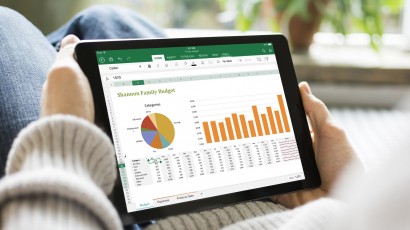
Microsoft Launches Office for iPad: Free to View, Subscription to Edit
Microsoft on Thursday finally unveiled Office for iPad, with new CEO Satya Nadella demonstrating the suite at a press event in San Francisco. Word, Excel, and PowerPoint are all free to download and view documents, but those wishing to create or edit on their tablets will need an Office 365 subscription.

Microsoft Releases OneNote for Mac for Free via the Mac App Store
As expected, Microsoft on Monday released OneNote for Mac as a free download via the Mac App Store. As part of the move, Microsoft has now made OneNote free for personal use on all of its desktop and mobile platforms.